
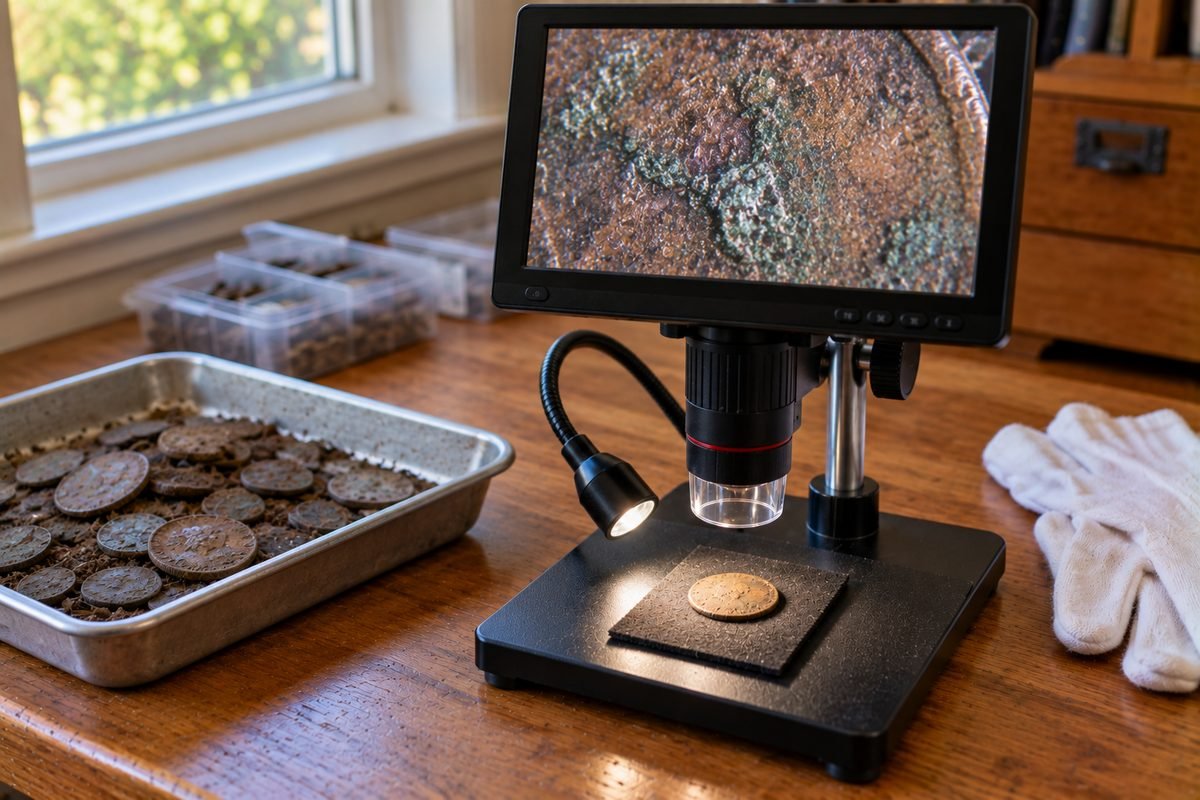
The best coin microscope for most metal detectorists is a screen microscope with a sturdy stand and side lights, such as the TOMLOV DM9. It lets you read worn dates and mint marks without squinting through a loupe. The big magnification numbers on the box do not matter much. Coins rarely need more than 10x to 20x of real magnification, and the right light angle shows more than extra power.
DetectorBrief is a participant in the Amazon Services LLC Associates Program, an affiliate advertising program designed to provide a means for sites to earn advertising fees by advertising and linking to Amazon.com.
This guide explains what the numbers on a coin microscope mean, how much magnification coins need, and which models fit which job. The picks are based on the makers' published specs, independent reviews, and what coin collectors report on forums. We have not tested these microscopes ourselves.
Table of Contents
Quick Picks: Which Coin Microscope to Get
| Pick | Microscope | Why |
|---|---|---|
| Best for most detectorists | TOMLOV DM9 7 Inch Digital Coin Microscope (see details) | 7-inch screen, metal stand, and gooseneck side lights |
| Best big screen | TOMLOV DM9 Max 10.1 Inch Digital Coin Microscope (see details) | 10.1 inch screen and HDMI out for large coins |
| Best small screen with a scale | TOMLOV DM4W 4.3 Inch Coin Microscope with Scale (see details) | Small 4.3-inch screen with a modest listed 10X to 200X range |
| Best for a laptop | Plugable USB Digital Microscope 250x (see details) | Simple way to photograph mint marks on a computer |
| Most room to work | Andonstar AD246S-M 3 Lens HDMI Digital Microscope (see details) | Long focus range to tilt coins and add side light |
| Best true 3D view | AmScope SE400-Z Stereo Microscope, 10X and 20X (see details) | Real optical 10X and 20X in 3D, 9 inch working distance |
| Best for the field | TOMLOV P50 Handheld Digital Microscope (see details) | Pocket-sized with a battery for use in the field |
Real Magnification Calculator
Use this to see what a digital microscope shows on your screen. It works out how much bigger a coin, or a detail on it, looks when it fills the screen.
Real Magnification Calculator
Digital microscopes are sold with numbers like 1000X. What you see depends on how big the screen is and how much of it the coin fills. Pick a coin, a screen and what you want to fill the screen.
Real Magnification Calculator by DetectorBrief.com
Why "1000X" Is Not What You See
Digital microscopes do not have one fixed magnification. The camera captures an image, and the screen enlarges it. A bigger screen makes the same image look bigger. Celestron says it plainly on its own product page: "Final magnification determined by monitor size."
A simple way to work out the real number is to divide the screen size by the size of what fills it. Microscope World gives the formula as the width of the monitor divided by the width of the object that spans the screen. A cent is 19.05 mm across. On a 7-inch screen, which is about 87 mm tall, a cent that fills the screen top to bottom looks about 4.6 times bigger. To fill the same screen with a 2 mm detail, you need about 44x.
The writer of an unofficial user manual measured this on an Elikliv DM9, a 7-inch screen model sold as 50x to 1200x. With a ruler under the lens, the measured range came out to about 10.5x to 71.5x on the screen. At its lowest setting, only about 14.5 mm fit across the screen, less than the width of a dime. Elikliv is a different brand from TOMLOV.
Other screen microscopes work the same way, because the X number depends on the screen. Dino-Lite suggests comparing field of view instead. That is, how many millimeters of the coin fit on the screen, and it doesn't change with screen size.
How Much Magnification Do Coins Need?
Much less than the boxes suggest. Numismatic writers agree that low power covers most coin work.
| Job | Real magnification | Guidance |
|---|---|---|
| Grading and checking wear | 5x to 7x | The American Numismatic Association says loupes are typically 5X, 7X or 10X. CoinWeek suggests 5x to 7x and warns against too much power. |
| Reading worn dates and mint marks | About 5x to 20x | Our estimate, not an expert figure. At 20x, a 7-inch screen shows an area about 4 mm tall. |
| Die varieties (small differences between the dies that struck the coins) | About 10x | NGC calls ten power convenient for variety hunters. |
| Counterfeit checks | Over 10x | NGC says power over 10x is best saved for counterfeit detection. |
More power is not always better. NGC notes that at 10x, you can only see a section of a large coin at a time. As magnification goes up, you see a smaller patch of the coin, the image gets dimmer, and every bump of the table shakes the view. For quick checks at 10x or less, a good loupe is often all you need. Our best coin magnifier guide covers those.
What to Look For in a Coin Microscope
- A sturdy stand. A metal stand and a heavy base keep the image still. A shaky stand makes focusing frustrating at any power.
- Working distance. This is the space between the lens and the coin when it is in focus. Leica notes that more working distance makes handling easier, and it usually shrinks as magnification increases. You need room to tilt a coin and slide light in from the side.
- Side lights, not just a ring light. A ring of LEDs around the lens lights the coin flat from above, which can wash out worn details and glare off shiny coins. A collector on the Collectors Universe forum found that built-in scope lighting "washes out color." A gooseneck light you can swing low makes worn numbers stand out.
- Screen size. A 7-inch screen is comfortable for most coins. A 10-inch screen helps with large coins and showing other people. A 2 to 4 inch screen is for quick checks.
- Saving photos. A card slot or computer connection lets you save a photo to your find log or post it to an ID group.
The Best Coin Microscopes on Amazon

Best for most detectorists: TOMLOV DM9 7 Inch Digital Coin Microscope
The DM9 is a 7-inch screen microscope on a sturdy metal stand. It has an 8.5-inch metal stand on a metal base. Besides the LEDs around the lens, it has two gooseneck side lights, which are small lights on bendable necks. Those side lights matter for dug coins: you can swing one low across a worn date so the edges of the numbers throw shadows.
The listing says it takes 12MP photos and 1080P video and works as a PC camera on Windows or Mac. The 1200X in the name is a screen number, not what you see. TOMLOV does not publish a working distance.

TOMLOV DM9 7 Inch Digital Coin Microscope
- Screen
- 7 in LCD
- Photo and video
- 12MP, 1080P
- Stand
- 8.5 in metal
- Lights
- Ring LEDs plus 2 gooseneck lights
Good for: reading dates and mint marks on dug coins at the kitchen table, with side lights for worn surfaces.
Skip if: you want to see a whole silver dollar on a big screen. Look at the DM9 Max.
Pros
- Metal stand and base
- Gooseneck side lights for angled light
- Saves photos to a card and works with a computer
Cons
- No published working distance
- The 1200X claim is marketing
Best big screen: TOMLOV DM9 Max 10.1 Inch Digital Coin Microscope
The DM9 Max is the DM9 made bigger: a 10.1-inch screen, a 12.6-inch metal stand, a larger base, and an HDMI output so you can show the image on a TV or monitor. TOMLOV lists 8 LEDs around the lens plus 2 gooseneck side lights. A reviewer at Scargill's Tech Blog called the detail great. He also noted that it sits on rubber feet and can shake easily. Use the remote to take photos instead of pressing buttons on the unit.

TOMLOV DM9 Max 10.1 Inch Digital Coin Microscope
- Screen
- 10.1 in
- Stand
- 12.6 in metal
- Output
- USB and HDMI
- Lights
- 8 LEDs plus 2 gooseneck lights
Good for: looking at large coins and showing finds to family or a club on a big screen.
Skip if: desk space is tight or you only check small cents and dimes.
Pros
- Large 10.1 inch screen
- HDMI out to a TV or monitor
- Taller stand gives room for bigger coins
Cons
- Shakes easily when you press buttons
- No published working distance
Best small screen with a scale: TOMLOV DM4W 4.3 Inch Coin Microscope with Scale
The DM4W is a compact 4.3-inch screen microscope on an 8-inch stand, with a small digital scale built into the base. TOMLOV lists its zoom as 10X to 200X, a more modest claim than most screen models make. It runs on a built-in rechargeable battery and connects to a Mac or Windows computer by USB.
The scale reads in 0.1 gram steps, but TOMLOV lists its accuracy as plus or minus 0.5 grams. That is a rough check, not proof that a coin is real. It is not fine enough to tell a silver dime (2.50 g) from a clad dime (2.27 g).

TOMLOV DM4W 4.3 Inch Coin Microscope with Scale
- Screen
- 4.3 in
- Listed zoom
- 10X to 200X
- Stand
- 8 in
- Extra
- Built-in scale
Good for: a first screen microscope that fits on a small shelf, with a rough weight check.
Skip if: you need an exact weight. Use a jewelry scale with finer accuracy.
Pros
- Small and easy to set up
- Modest listed zoom range
- Built-in battery
Cons
- Small screen
- Scale is only accurate to about half a gram
Best for a laptop: Plugable USB Digital Microscope 250x
If you already have a laptop or Chromebook, the Plugable is a simple way to get a clear look at a mint mark and save the photo. It is a small camera on a flexible arm stand with a dimmable LED ring. Plugable lists 2-megapixel stills (1600 x 1200) and 60x to 250x. It says magnification comes from how close you hold it and where you set the focus wheel, not from a zoom button. It works with Windows, Mac, ChromeOS, Linux, Android, and iPad, but not with iPhones.

Plugable USB Digital Microscope 250x
- Camera
- 2MP stills
- Listed range
- 60x to 250x
- Stand
- Flexible arm
- Needs
- A computer or a supported tablet or phone
Good for: photographing dates and mint marks for an identification post or your find log.
Skip if: you want to use it away from a computer.
Pros
- Works with almost any computer
- Plugable explains how its magnification works
- Small enough to keep in a drawer
Cons
- Must stay plugged into a device
- Video is only 640 x 480
Most room to work: Andonstar AD246S-M 3 Lens HDMI Digital Microscope
The Andonstar AD246S-M has a 7-inch screen, an HDMI output, and three swap-in lenses. For coins, lens A is the one that matters: Andonstar lists 18x to 720x and a focus range of 12 to 320 mm. That long range leaves room to slide a light in from the side or tilt a coin under the lens.
The Amazon listing says its magnifications assume a 28-inch HDMI monitor. A review at New Screwdriver found the real output to be full HD (1080P), not the 2160P in the listing. It also noted that the lenses sit loosely in their mount. Lens D focuses only from 4 to 5 mm, leaving too little room to light a coin from the side.

Andonstar AD246S-M 3 Lens HDMI Digital Microscope
- Screen
- 7 in plus HDMI out
- Lens A range
- 18x to 720x (listed)
- Lens A focus range
- 12 to 320 mm
- Lenses
- 3
Good for: tilting coins and adding your own side light, with room to work under the lens.
Skip if: you want something simple. Three lenses and HDMI are more to learn.
Pros
- Long focus range on lens A
- Shows on its own screen and an HDMI monitor
- Boom arm stand that reaches out over the table
Cons
- Real output is about full HD, not 2160P
- Lenses fit loosely in the mount
Best true 3D view: AmScope SE400-Z Stereo Microscope, 10X and 20X
The AmScope SE400-Z is an optical stereo microscope. You look through two eyepieces, so you see the coin in 3D at a real 10X or 20X. NGC calls ten power convenient for variety hunters and saves higher power for counterfeit checks. AmScope lists a 9 inch working distance, so there is plenty of room to tilt a coin. It also has an LED gooseneck light for angled lighting and a boom arm, a stand arm that reaches out over the table. There is no camera, so you cannot save photos without a different model.

AmScope SE400-Z Stereo Microscope, 10X and 20X
- Type
- Optical stereo
- Magnification
- 10X and 20X
- Working distance
- 9 in
- Light
- LED gooseneck
Good for: a true 3D look at die varieties and surface detail at real magnification.
Skip if: you want to save photos or share the view on a screen.
Pros
- Real optical 10X and 20X
- Long 9 inch working distance
- Boom arm and gooseneck light
Cons
- No camera or screen
- Takes more desk space
Best for the field: TOMLOV P50 Handheld Digital Microscope
The P50 is a pocket microscope with a 2.4-inch screen and its own battery, so you can check a date at the dig site or in the truck. TOMLOV lists 3MP photos and 1080P video, 6 LEDs with 4 brightness levels, and up to 120 minutes of battery life. It stores up to 200 photos, but video requires a microSD card (not included). It comes with a carry case and a lanyard. TOMLOV does not list a magnification range.


TOMLOV P50 Handheld Digital Microscope
- Screen
- 2.4 in
- Photo and video
- 3MP, 1080P
- Battery
- Up to 120 minutes
- Storage
- Up to 200 photos
Good for: a quick look at a date or mint mark before a coin goes in your pouch.
Skip if: you want a steady view for close study. There is no stand.
Pros
- Fits in a pocket with its case
- Runs on its own battery
- Saves photos without a card
Cons
- Very small screen
- No stand, so the view moves with your hand
Side-by-Side Comparison
| Microscope | Screen | Stand | Side lights | Saves photos | Best for |
|---|---|---|---|---|---|
| TOMLOV DM9 | 7 in | 8.5 in metal | Yes, 2 gooseneck | Yes | Most detectorists |
| TOMLOV DM9 Max | 10.1 in, HDMI out | 12.6 in metal | Yes, 2 gooseneck | Yes | Large coins, big screen |
| TOMLOV DM4W | 4.3 in | 8 in | No | Yes, on a computer | Small budget screen |
| Plugable 250x | None, uses your device | Flexible arm | No | Yes, on your device | Photos on a laptop |
| Andonstar AD246S-M | 7 in, HDMI out | Boom arm | Room to add your own | Yes | Tilting coins, room to work |
| AmScope SE400-Z | None, eyepieces | Boom arm | Yes, 1 gooseneck | No | True 3D at 10X and 20X |
| TOMLOV P50 | 2.4 in | None, handheld | No | Yes, up to 200 photos | Quick checks in the field |
How to Look at a Dug Coin Under a Microscope
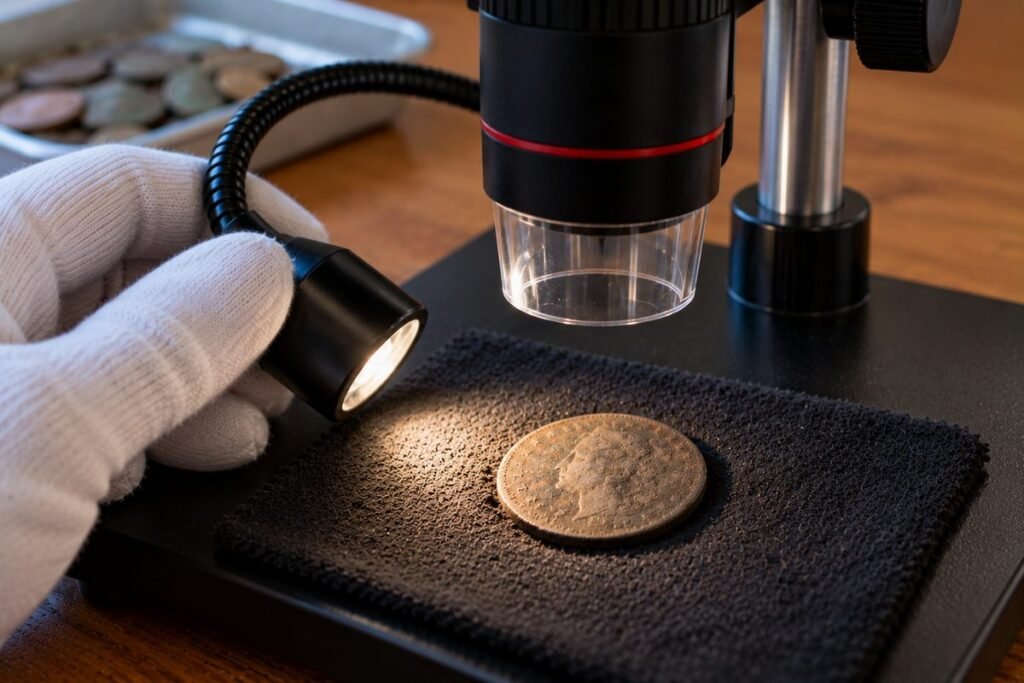
- Handle it by the edges. The U.S. Mint says to hold a coin by its edges, between your thumb and forefinger, over a soft towel. It also suggests soft cotton gloves to keep fingerprints off the surface.
- Do not scrub or brush it first. Let loose dirt fall off. The U.S. Mint warns that brushing or rubbing can scratch a coin's surface, and cleaning can lower a coin's value. See our guide on how to clean old coins before you try anything stronger.
- Start at the lowest power. Fit as much of the coin on the screen as you can. Find the date or mint mark, then zoom in on just that spot.
- Turn off the ring light and use a side light. Swing a gooseneck light low and to one side. Worn numbers often show up as shadows when light skims across them.
- Tilt and turn the coin. CoinWeek tells graders to gently wobble and rotate a coin under one light. This shows wear and marks that stay hidden when you look straight on.
- Save a photo. Take a picture at each step and keep it with your find notes, or share it with a coin identification group if you are stuck.
Common Coin Microscope Mistakes
| Mistake | What happens | Fix |
|---|---|---|
| Buying for the biggest X number | The number depends on the screen size, not just the lens | Compare screen size, stand and lights instead |
| Starting at high power | You see a tiny patch and lose your place | Start with the whole coin, then zoom in |
| Using only the ring light | Glare and flat light hide worn details | Add a low side light and tilt the coin |
| A wobbly table or stand | The picture shakes at every touch | Use a heavy base and a remote or the computer to take photos |
| Cleaning before looking | You can rub away the detail you want to read | Look first, then decide on cleaning |
Coin Microscope Questions
What magnification do you need to see a mint mark?
Usually 5x to 20x of real magnification. On a 7-inch screen, 20x shows an area about 4 mm tall, so a mint mark is easy to see. Use the calculator above for your own screen.
Is a digital microscope good for coins?
Yes, for reading dates and mint marks and saving photos. Choose one with a solid stand and side lighting. Collectors who study die varieties often prefer an optical stereo microscope for its true 3D view.
Why does my 1000X microscope not look 1000 times bigger?
Because the X number on a digital microscope depends on the screen size and how close the lens is. One measurement of a 7-inch model sold as 50x to 1200x came out between about 10x and 72x.
Is a microscope better than a loupe for coins?
They do different jobs. A 5x to 10x loupe is quick and cheap for checking wear and grading. A microscope is better for long looks, saving photos, and showing others.
Can I use a coin microscope to spot fakes?
A microscope helps you look closely, but spotting fakes takes training and reference images. For a valuable coin, send it to a grading service.
Do I need gloves to handle coins under a microscope?
The U.S. Mint suggests soft cotton gloves and holding coins by the edges over a soft towel. For dug coins that are already worn, handling the edges is the main thing.
Where to Go Next
Once you can read the date, store the coin safely with our guide to coin holders. If you are still building your kit, see our picks for the best metal detector for coins and the metal detecting accessories worth carrying.